A real 3D review surface. On the same transport bar as your footage.
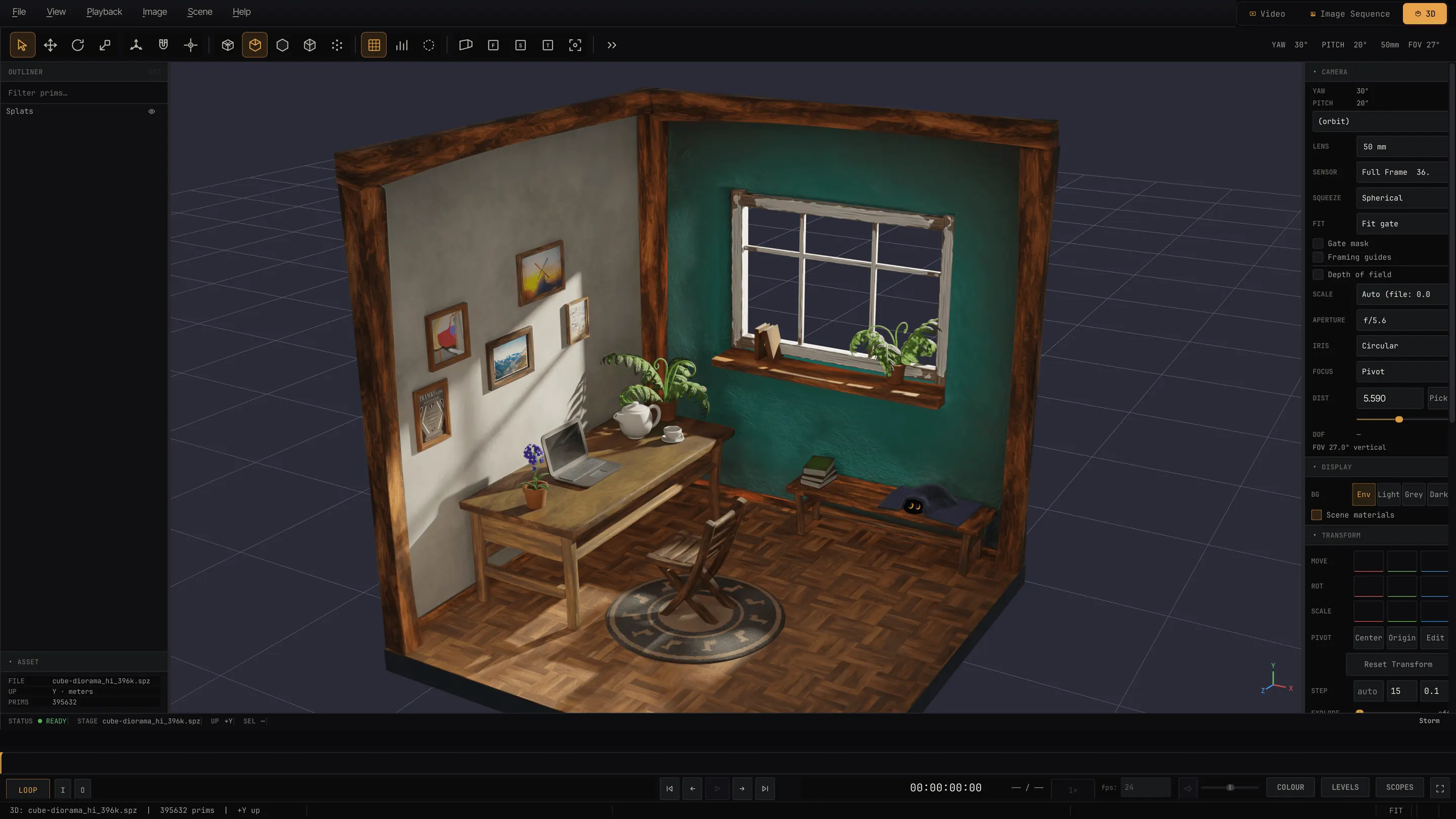
OpenUSD through Hydra Storm, and two ray tracers that share one set of controls: the Embree CPU path tracer, and hdRt — MPT's own GPU ray tracer on NVIDIA OptiX or Apple Metal. An outliner, an inspector, transform tools, variants, real materials, animated volumes, Gaussian splats, mocap. An animated stage reviews exactly like a clip.
Outliner, inspector, variants — the review conversation, not just a render.
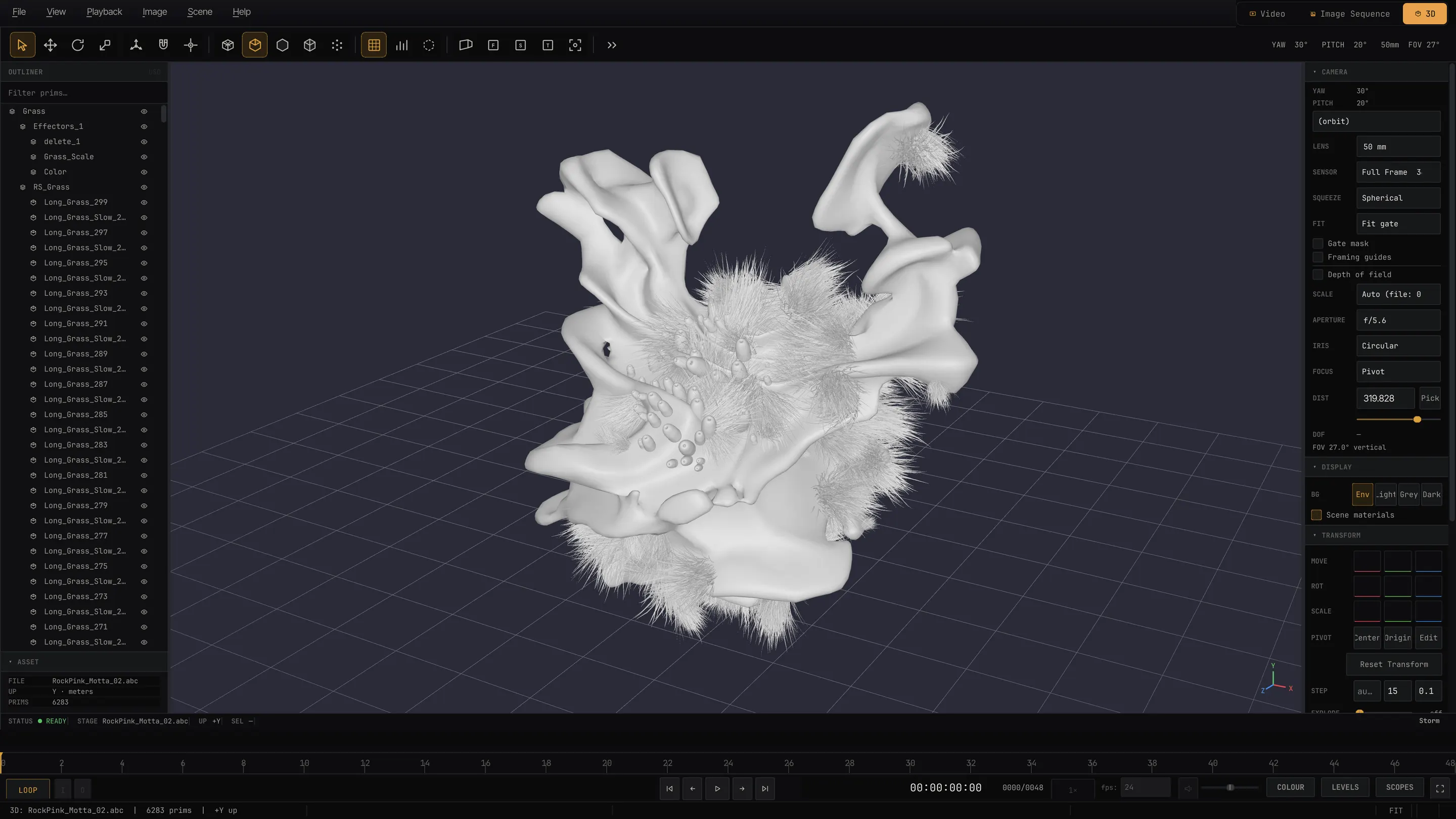
Click to pick prims under any of the three renderers. Hide, isolate, or walk the hierarchy with per-row visibility. Switch USD variant sets live, read prim properties and live stats in the inspector, and move things with select / translate / rotate / scale tools with axis constraints. Maya and Houdini navigation, a complete trackpad scheme, tight per-frame clipping — the model never disappears when you zoom in.
- Camera & lens
- A real lens — focal length in mm, film-back presets, gate fit — not a bare FOV slider. Depth of field with f-stop, focus distance and Focus on Selection, rendered by both ray tracers. Every scene camera listed and selectable.
- Heavy scenes
- Progressive payload streaming — huge stages open immediately and stream in, cancellable. Async loading keeps the UI live; proxy draw modes and a render-thread park during drags keep it interactive.
- Animation
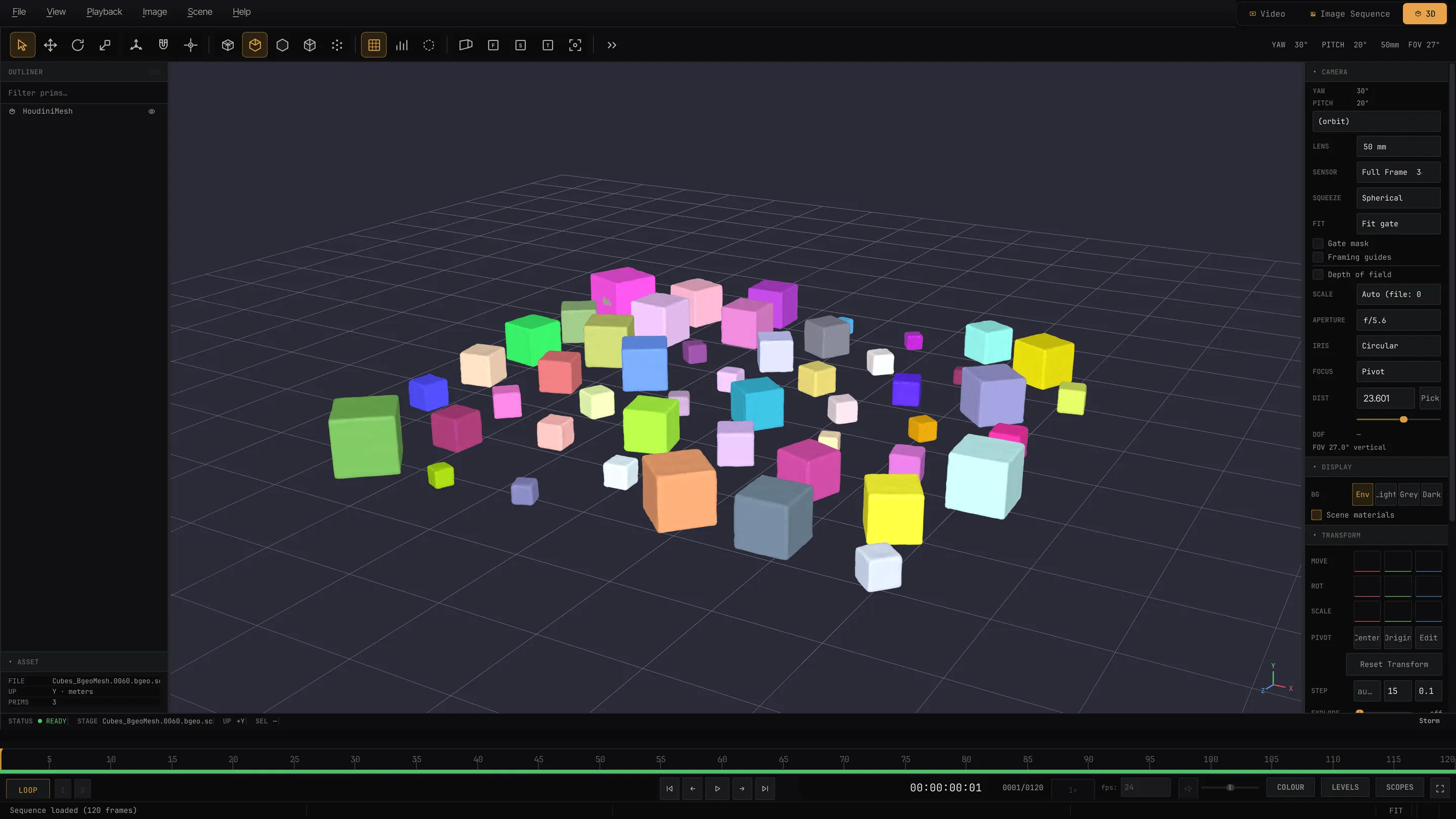
- Node and skeletal animation from USD, skinned animation from FBX and friends, BVH mocap as a playable skeleton, animated Gaussian-splat sequences, and a Show Skeletons overlay — all on the shared transport bar.
- Look-dev checks
- Beauty, normals, UV-as-colour, four UV checker maps, and any float/float2/float3 primvar on the geometry mapped to RGB or a colormap — identical under Storm, Embree and hdRt. UsdPreviewSurface, MaterialX, UDIM texture sets; Ptex is experimental.
Look-dev quality at interactive speed. On the GPU, built in.
hdRt is a Hydra render delegate written in the MPT codebase, with one core and two device backends that share the shading maths file for file — NVIDIA OptiX on Windows and Linux, Metal ray tracing on Apple silicon. Meshes, instancing, points, OpenVDB volumes and Gaussian splats trace in one scene, occluding and shadowing each other, from the same quality, lens and lighting controls as the CPU tracer. Switch per session from the Renderer menu; the picture accumulates progressively and settles when you stop.
- Lighting
- HDRI dome light with luminance-importance sampling and MIS — the same conventions as the Embree path, so the sun lands in the same place — shadow rays, and a per-channel dome clamp for fireflies.
- Materials & lens
- UsdPreviewSurface diffuse and emissive, constant or textured. Thin-lens depth of field from the real camera's f-stop and focus distance, dropped while the camera moves so the preview stays clean.
- Volumes
- A volumetric path tracer — delta tracking for free flights, ratio tracking for transmittance, Henyey-Greenstein scattering with dome next-event estimation, and real multiple scattering. Density and light scales mean physical units here.
- Splats, ray traced
- Custom primitives with a per-ray k-buffer, so splat clouds cast shadows on meshes and meshes occlude splats. Relighting of captured clouds against the HDRI through spherical-harmonic irradiance with baked precomputed-radiance-transfer shadows; Albedo, Normal and Roughness debug views; splat depth and ID AOVs, so picking stops seeing through clouds.
- Output
- Zero-copy into the viewport on all three platforms — CUDA↔GL interop on Windows and Linux, a Metal texture on macOS — rendered off the GUI thread, byte-identical between the off-thread and on-thread paths, with colour, depth and pick AOVs so selection and the focus picker work under it.
What it costs to run: nothing MPT ships. On NVIDIA the CUDA and OptiX runtimes come with the driver; on macOS Metal compiles the shaders at runtime. It needs an NVIDIA RTX GPU on Windows and Linux, or any Apple silicon Mac — M3 and later trace in dedicated hardware, and the renderer diagnostics say which you have. Without an eligible GPU the app simply offers one fewer renderer: AMD and Intel GPUs get Storm and Embree.
Several times faster than the CPU path tracer at look-dev quality — the two were not measured like for like, so there is no single multiplier to quote. Every Metal RT verification so far ran on an M1 Pro; there is no Mac speed figure yet.
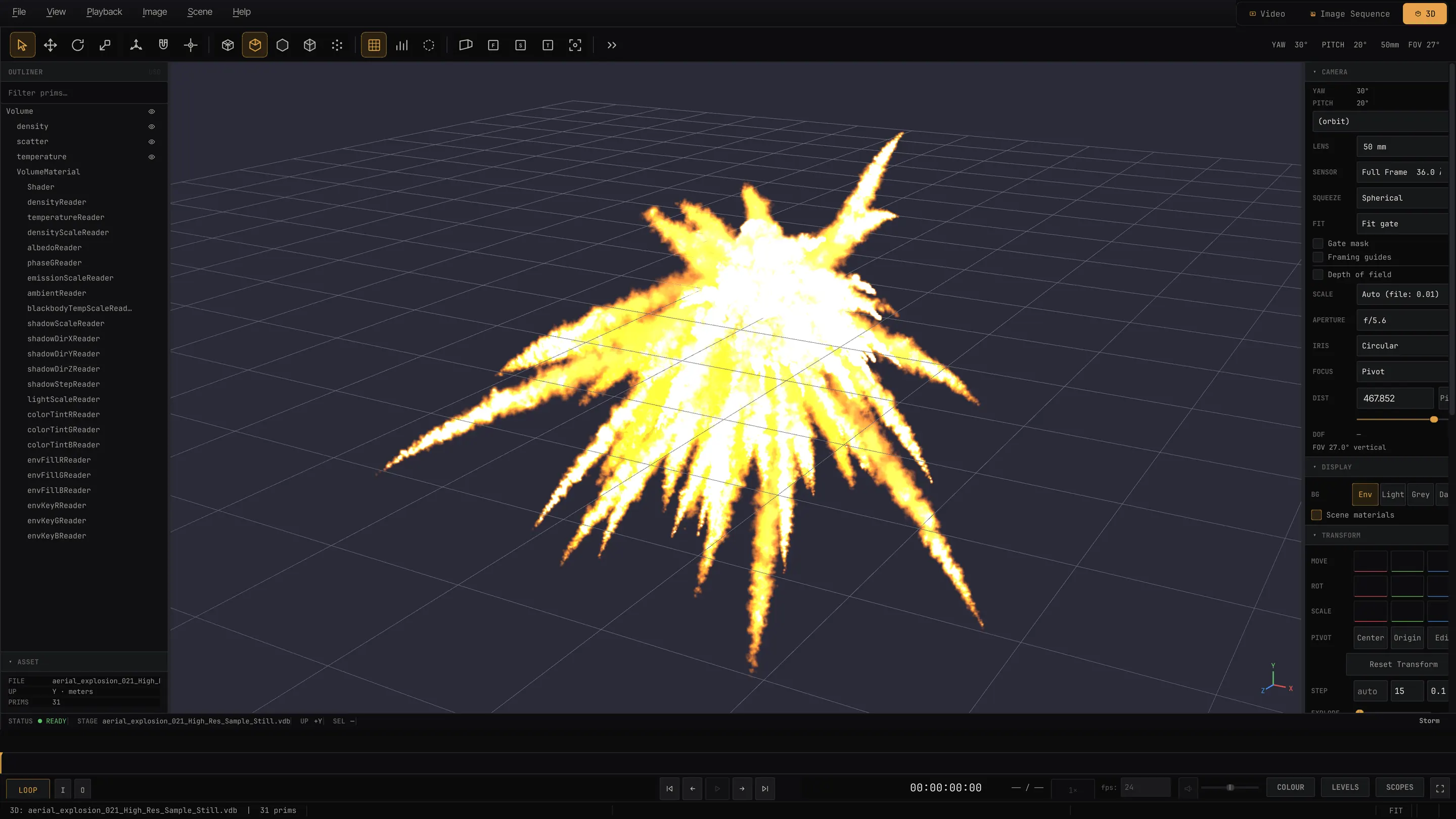
Volumes with a real look-dev panel.
Fog and pyro grids render as Storm volumes; level-sets surface as meshes. A per-grid inventory carries live look sliders — self-shadowing, density, single-scatter albedo, Henyey-Greenstein phase anisotropy, colorize tint, and for pyro, emission scale and blackbody Kelvin fire colour.
- HDRI-lit volumes with importance sampling; raymarch quality presets with interactive coarsen on orbit.
- Path traced under Embree for a preview, and under hdRt as the physically based one — real multiple scattering, on the GPU.
- .vdb sequences stream as animated volumes; volumes embedded in Houdini .bgeo are read directly.
- Velocity streamlines through a vector grid, coloured by speed (opt-in, experimental).
The portable second opinion.
Every platform, every GPU vendor — and the reference the GPU tracer is tested against. Ray-traced ambient occlusion or AO + HDRI illumination with an HDRI-derived sun, AI denoise via Intel Open Image Denoise on the CPU or a CUDA device, stratified sampling, firefly clamping, and depth of field driven by the real camera lens.
- Separate while-orbiting quality, orbit resolution and a frame budget in ms — tumbling stays interactive, the image cleans up when you stop.
- Path-traced volumes — self-shadowing, multiple scattering, HDRI and blackbody. Diffuse textures sampled from UsdPreviewSurface.
- Gaussian splats ray traced natively, with a GGX specular lobe against the dome.
Auto-orbit at a wall-clock rate — the orbit speed is the same whether the frame takes 4 ms or 400 ms. Export a loop-perfect 360° to MP4, ProRes MOV or a PNG sequence, rendered from exact AOV pixels: no window grab, no chrome leak.
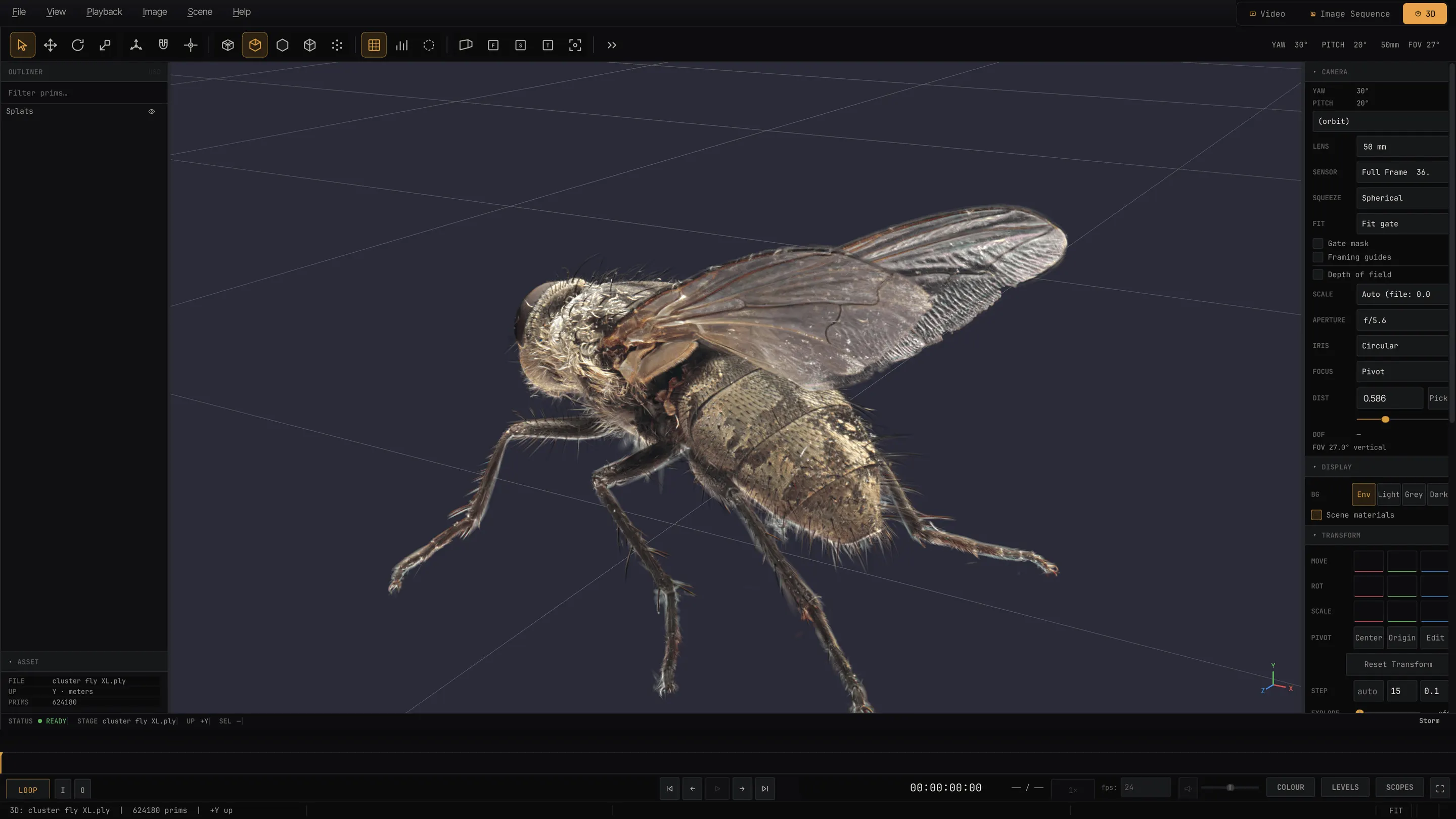
.ply, .splat, Houdini .bgeo exports and a USD schema prim — Add Splat Layer overlays a cloud on a stage as a real prim, so it survives renderer switches. Under Storm: anisotropic EWA splatting, view-dependent SH colour, a GPU depth sort, depth-tested compositing with scene geometry, and a deferred relighting pass for clouds that carry normals and albedo. The Relit view says whether an asset is a capture or relightable instead of pretending. Ray traced under both tracers, with shadows, relighting and animated sequences.