One viewer for everything in the shot.
Camera raw, ProRes, EXR and DPX sequences, USD scenes, VDB sims — MPT opens all of it in one window, on one transport, through one colour pipeline you can trust. Built for comp, lighting, FX, motion design and grade.
The camera card, the render, the scene. One window.
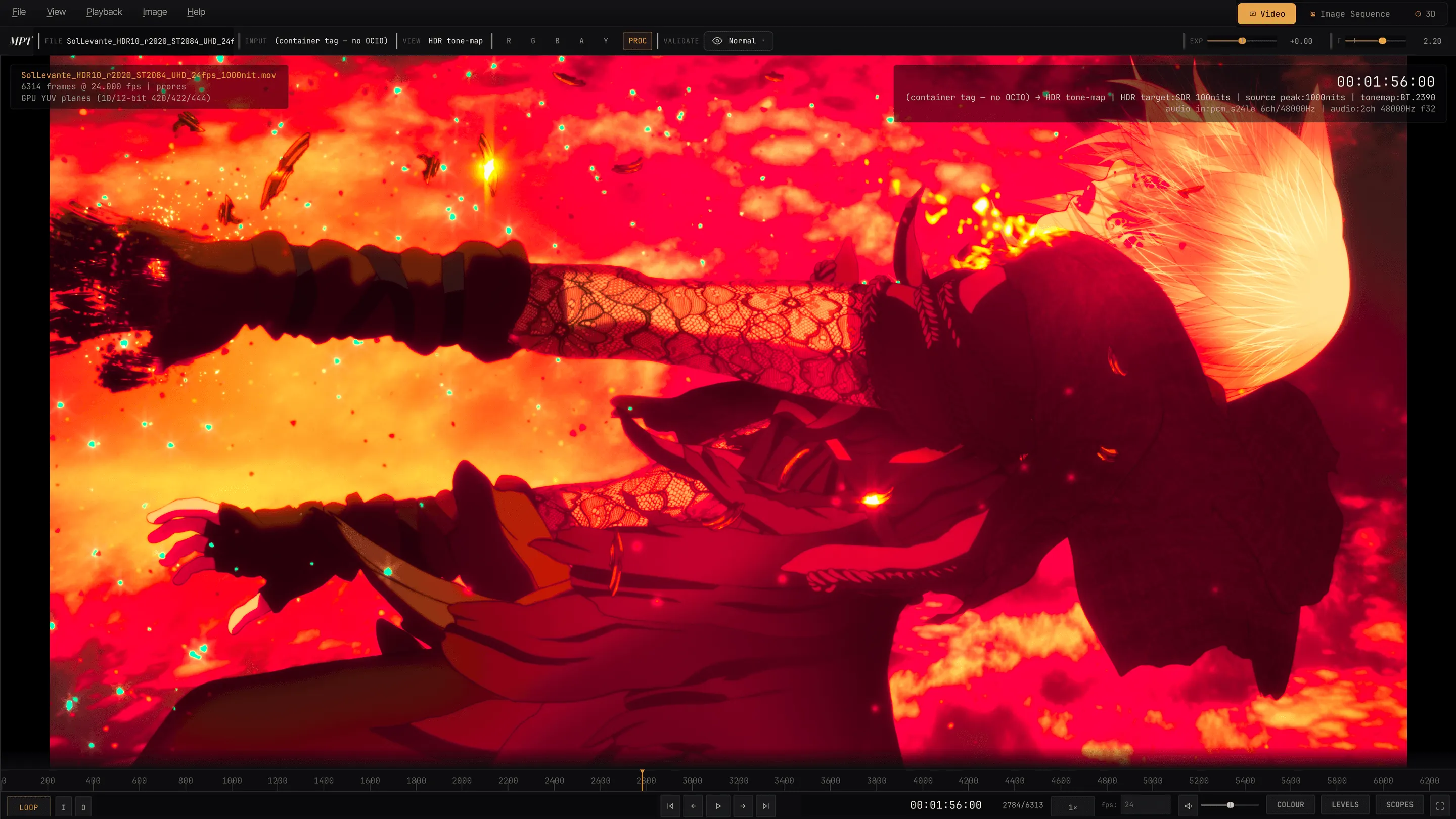
Drop in a ProRes master, a multi-layer EXR render, or the USD scene it came from: the same scopes, the same grade, the same timecode. Switching file type does not mean switching tools.
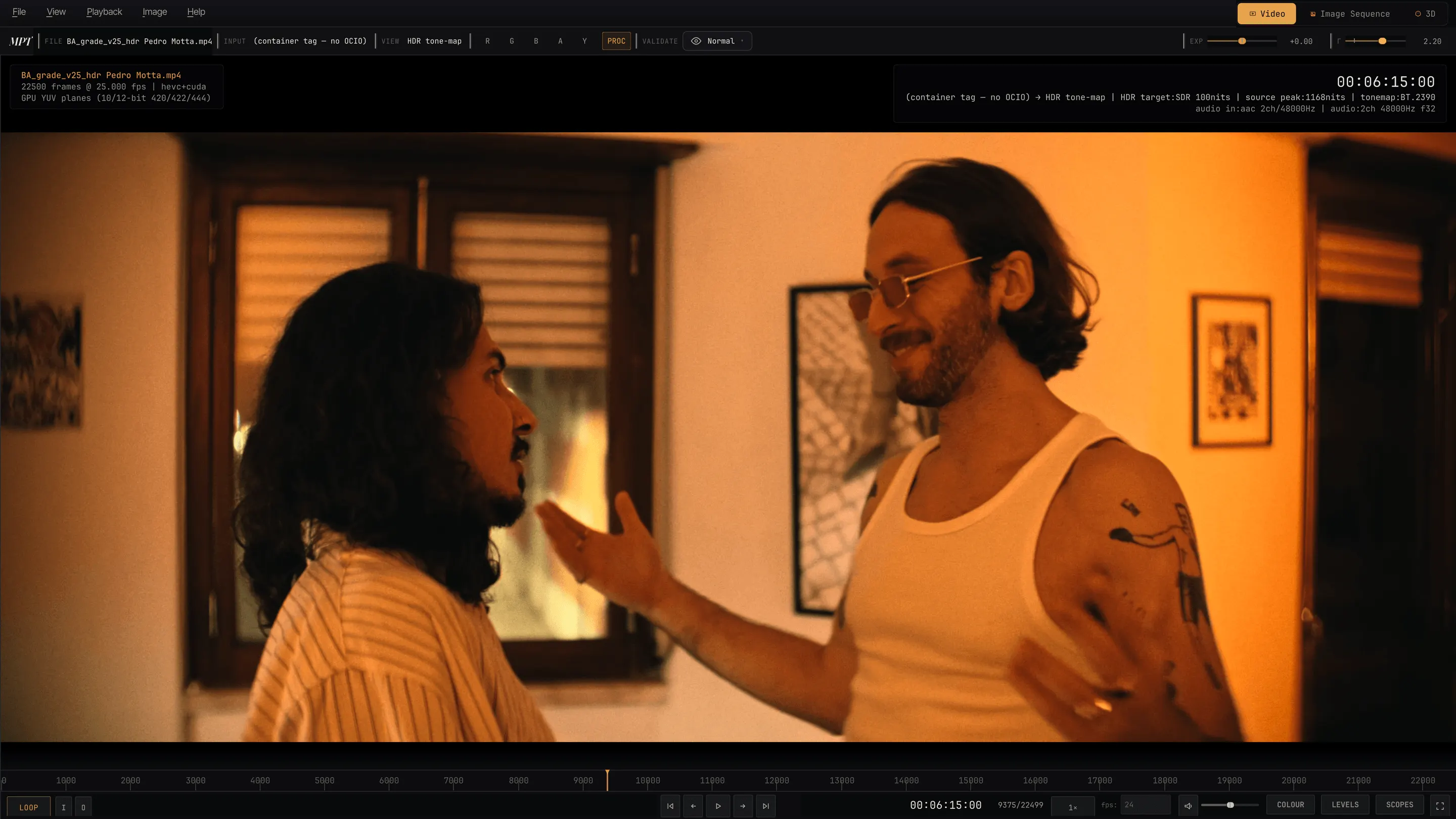
Every standard FFmpeg codec, no artificial allow-list. ProRes 422 and 4444 at full 10/12-bit precision, alpha carried through. Hardware decode on every platform — D3D11VA, VideoToolbox, VAAPI or NVDEC — reverse playback for long-GOP H.264/HEVC, chapters and markers, network and HLS sources, deinterlace and inverse telecine.
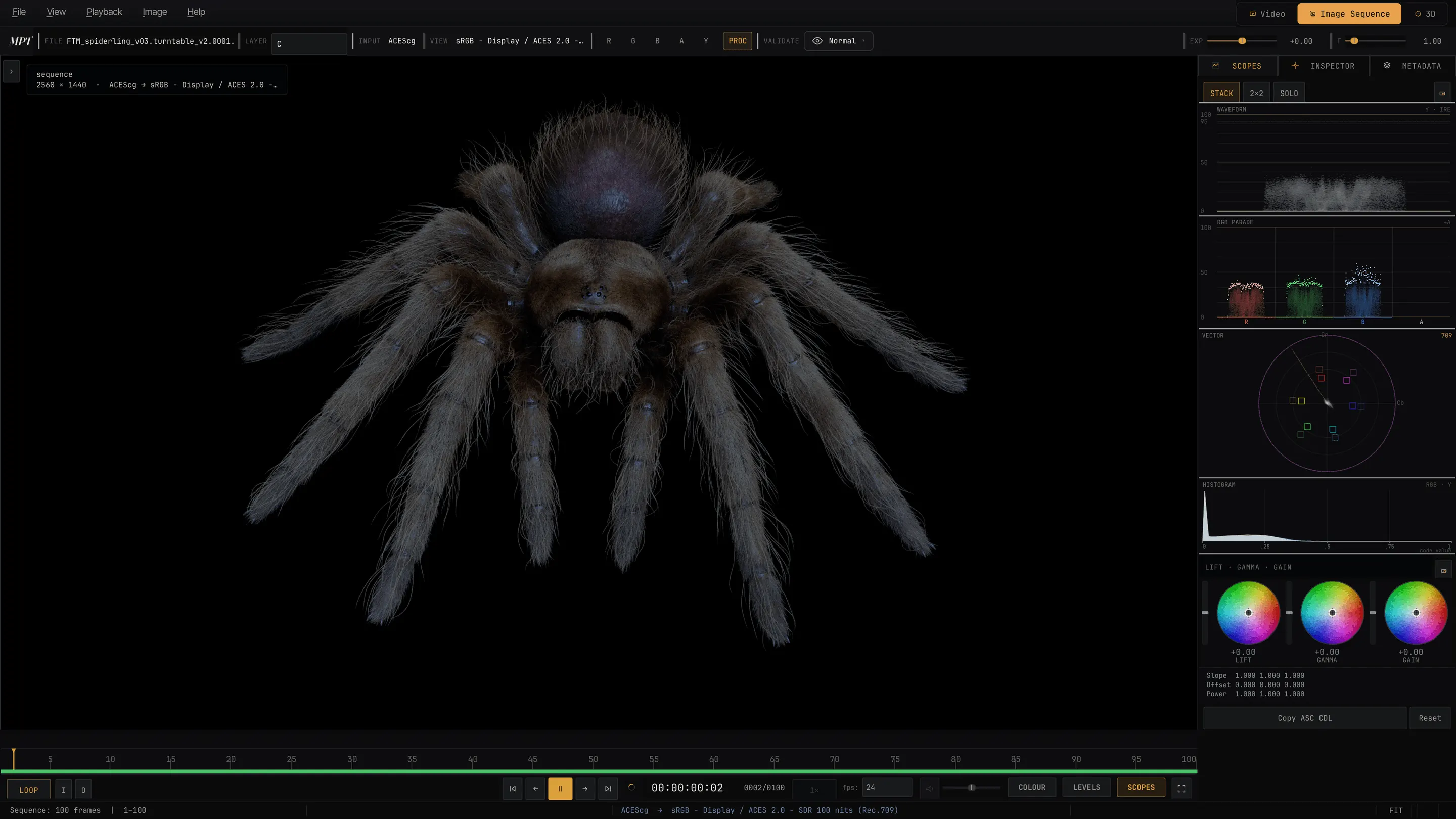
OpenEXR multi-part with named AOVs, DPX, TIFF, Radiance HDR. Streamed from a whole-sequence RAM cache with a live ribbon showing what is resident — heavy multi-layer float EXR scrubs from memory. Switch AOV on the fly, pick Cryptomatte objects by click. Missing frames are hatched on the ribbon and named in the status bar, never silently skipped.
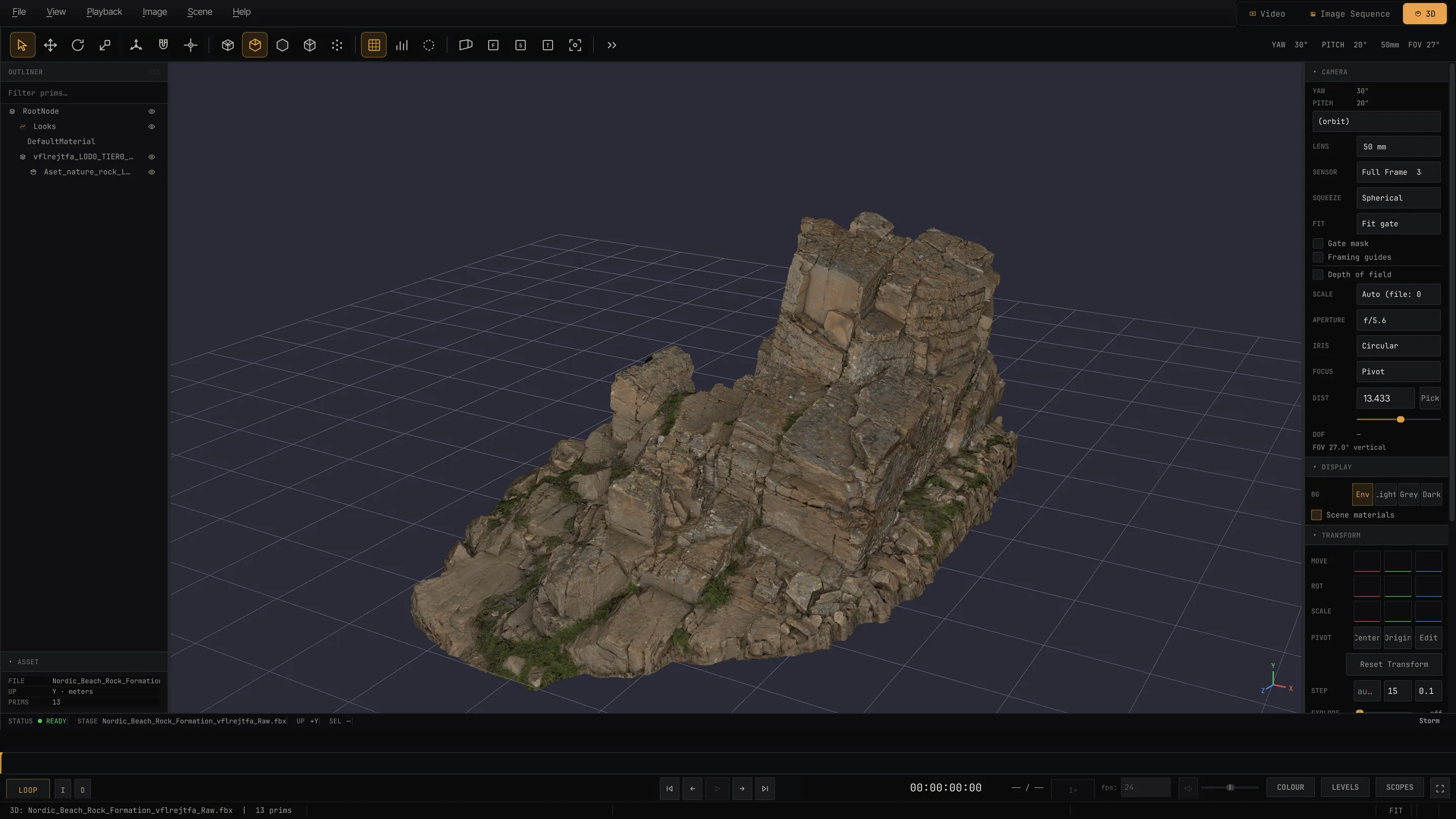
OpenUSD through Hydra Storm, Alembic, FBX, Houdini .bgeo, OpenVDB volumes, Gaussian splats, MaterialX — reviewed with the same transport bar as a clip, and ray traced on the GPU with MPT's own renderer. 3D, in full ↓
No transcode step.
Camera-original raw opens the way any other file does — debayered on the GPU, on CUDA, OpenCL or Metal, and delivered straight into ACES AP0, not converted to something else first and corrected afterwards. On Apple silicon the whole raw path is Metal, end to end.
Full-resolution 4K REDCODE in real time, on the default zero-copy path: the debayered frame never leaves the GPU on its way to the display, and the output is bit-identical to the CPU path.
GPU debayer on CUDA, OpenCL or Metal, decoded directly to ACES AP0. Three colour modes — Negative (ACES AP0), RED Graded (Log3G10 / RWG) and RED Display (IPP2 Rec.709) — with RED's own output transform applied on every route, so Display mode matches REDCINE-X. .RMD sidecars honoured, spanned sets handled.
GPU decode on all three platforms — CUDA into D3D11 on Windows, the SDK's Metal pipeline with a zero-copy channel on Apple silicon — clip metadata and the embedded look applied.
N-RAW plays as a raw clip on the same path as REDCODE; a numbered run of .dng frames plays as a clip.
Canon, Nikon, Sony, Fujifilm, Panasonic, Olympus, Pentax, Hasselblad, Phase One, Sigma, Adobe DNG and more — demosaiced through LibRaw into ACES AP0. A Develop panel writes to a sidecar; the original is never touched. Anamorphic squeeze is read from camera metadata and applied.
Full format matrix →3D review, properly. Not a "preview a mesh" afterthought.
A full OpenUSD review surface on Hydra Storm — outliner, inspector, transform tools, USD variants, UDIM and MaterialX, skinned and mocap animation, OpenVDB volumes with a real look-dev panel — and two ray tracers that share one set of controls: the Embree CPU path tracer, and hdRt, MPT's own GPU ray tracer on NVIDIA OptiX or Apple Metal. An animated stage reviews exactly like a clip, on the same transport bar.
Click to pick prims, hide or isolate, walk the hierarchy. Switch USD variant sets live, read prim properties and stats, move things with select / translate / rotate / scale and axis constraints. Maya and Houdini navigation.
Fog, pyro and level-set grids, with per-grid sliders for self-shadowing, density, albedo, phase and blackbody Kelvin. .vdb sequences stream as animated volumes; volumes inside Houdini .bgeo are read directly.
hdRt traces meshes, instancing, OpenVDB volumes and Gaussian splats in one scene at interactive rates — OptiX on NVIDIA RTX, Metal ray tracing on every Apple silicon Mac, in dedicated hardware on M3 and later. Same lens, lighting and quality controls as the Embree CPU tracer, several times faster at look-dev quality. How it works →
Auto-orbit at a wall-clock rate, the same whether a frame takes 4 ms or 400 ms. Export a 360° to MP4, ProRes MOV or a PNG sequence, rendered from exact AOV pixels — no window grab, no chrome leak.
Trust what you're looking at.
Most viewers show you something close. MPT shows you the transform you asked for — mathematically correct, not approximately right: scene-linear working space, OCIO v2, and the actual standards, PQ and HLG EOTFs, BT.2020 to your panel's primaries, ACES end to end. If a shot looks wrong in MPT, the shot is wrong — and it is the same code on Windows, macOS and Linux.
- To the standard
- BT.2390 EETF rendered to the ITU specification — reference knee, reference desaturation — with Hable, EDR-native and EDR-adaptive as alternatives. SDR reference white and decode gamma are choices, not assumptions.
- Measured peak
- When a PQ file states no MaxCLL and no mastering block, MPT scans the file for its actual peak at full resolution and caches it in a sidecar. The status bar says measured — not guessed.
- HDR in & out
- HDR10, HLG, HDR10+, and Dolby Vision Profile 8 dynamic per-frame metadata, read and applied — on the hardware-decode path too. Real HDR on glass on Windows, an owned scRGB FP16 swapchain, and on macOS, a direct-Metal EDR overlay with HDR10, HLG and Dolby Vision P8 verified. Linux presents SDR today, correctly tone-mapped; HDR exports already work, HDR on glass is in progress.
- OCIO · ACES
- Load any OCIO config, or the built-ins that ship with OCIO 2.5 — including ACES 2.0, on all three platforms. The default stays pinned to ACES 1.3 so nothing shifts under an existing setup. Name a clip's input colour space and the display/view applies to it, exactly as a compositor expects.
- Log & grade
- S-Log3, V-Log, C-Log3, LogC3, LogC4, Log3G10 and Cineon decoded to scene-linear with a camera-gamut selector. On top: .cube look LUTs, ASC CDL, lift/gamma/gain, white balance, exposure — persisted to a sidecar, byte-exact on round trip.
→ grade (CDL · LUT · wheels) → OCIO display/view
→ tone map → panel primaries → FP16 out
Measure it. Mark it up. Hand it on.
Waveform, RGB parade, vectorscope and histogram, computed on the GPU off the graded frame. Then the checks you actually reach for — each on its own key — and notes that carry a grade, not just an opinion.
Pen, arrow and text annotations saved as sidecars. A note can carry an ASC CDL — "warm this up" arrives as something the next person can apply. Export notes to CSV, grades to .cdl/.cc/.ccc.
False colour, zebras, clip, gamut, near-black and PQ-band checks. Pixel inspector with exact code values and nits, texel grid at high zoom. Framing guides, safe areas, desqueeze. One paste of the colour diagnostic answers most support questions.
Load a second source — image or video — and compare with wipe, difference or blink. Channel isolation for R, G, B, alpha or luma.
Point MPT at a render directory and the sequence live-extends as frames land off the farm, following the latest. Save the whole review as a portable session — relative paths, per-clip view state, atomic saves with .bak backups — and step through it shot by shot.
What you reviewed is what you ship.
Exports carry the full display pipeline, view LUT included — what you review is what you ship. Send a frame range to EXR, PNG, JPEG, TIFF, H.264 or ProRes — 8-bit as displayed, 10-bit Rec.709 or 10-bit PQ — with audio and subtitles, encoded in the background while you keep working.
Export a frame as a scene-linear EXR for comp, quick-export with annotations burnt in, copy a colour-managed frame straight to the clipboard, or render a loop-perfect 360° turntable to MP4, ProRes or a PNG sequence.
Post FX, in the physically right order.
A lens and sensor chain applied in scene-linear, before the display transform — so a fifty-times-overbright specular blooms like one instead of clipping first and blooming after. Bloom with per-channel tint for halation, anamorphic and star glare, flare ghosts and halo, chromatic aberration, vignette, grain. Plus optical-flow motion blur with a real shutter-angle control, synthesised from a still sequence.
bright-pass → bloom → glare → flare → composite →
vignette → display transform → grain
Built on the standards your pipeline already uses.
MPT is not a wrapper. It is native C++20 on Qt RHI, so the same colour and display code runs on Direct3D 11, Metal and OpenGL — one implementation, three platforms, no divergence in what you see: the colour pipeline, scopes, OCIO, session files and audio carry zero platform guards. Several of the libraries it builds on are Academy Software Foundation projects.
Open something. Decide in a minute.
Bring the file that usually needs a transcode first. MPT is in closed beta while the licence work finishes — ask for a Windows, macOS or Linux build and we'll send one.